


HD Live Wallpaper Launcher
3.88.00 Reviews
App Specs
- Version
- 2.0.1
- Updated On
- License
- Free
- Downloads
- 50,000+
- Developer
- BenAPPmar
- Categories
- Personalization
- Platform
- Android
Screenshots
 Analysis by AppCompare
I approach live-wallpaper apps with one practical question: will I still enjoy the result after the novelty wears off? A moving background can make a familiar phone feel more personal, but it can also add setup steps and visual clutter. HD Live Wallpaper Launcher is aimed at people who want their screen to feel less static, and I find it most appealing when I treat wallpaper choice as part of a usable home-screen layout rather than decoration on its own.
Where setup can feel less obvious
The first decision is not just which image looks best. A live background sits behind icons, widgets, and text, so a bright or busy design can make everyday navigation harder even when it looks impressive on its own. I’d preview a candidate with the actual home screen in mind: check whether the clock and app labels remain easy to read, and favor calmer areas behind the icons you use most.
It also helps to separate browsing from committing. I would shortlist a few designs, then test one through ordinary tasks—opening messages, checking a calendar, and returning to the home screen—before settling on it. That quick check can reveal whether motion distracts during routine use. If the background feels tiring after a few minutes, a still image may be the better personalization choice.
Simple checks before changing the screen
When a wallpaper does not appear as expected, I start with the basic setup rather than assuming the app is broken. I check whether the selected image was applied to the intended screen, then return to the home screen and give it a moment to display. If I use a separate lock-screen image, I verify that setting independently; treating the two placements as separate choices avoids confusing one result for the other.
For a clean comparison, I change one thing at a time. I first apply a single design, check how it looks, and only then try another visual or adjustment. This makes it easier to identify what changed and keeps the process from turning into a series of settings that are hard to retrace. The app is free, and its current version is 2.0.1; it is listed for Android 8.0 and later, so compatibility is worth checking before planning a setup around it.
Recovering when a choice does not stick
If the background reverts or appears different after I leave the app, I would reopen the wallpaper controls and apply the choice again, then check the phone’s home-screen settings for any competing background selection. A launcher or theme setting can affect what is visible, so it is useful to test with the phone’s usual layout rather than changing several parts of the interface at once.
I also avoid repeatedly switching between multiple animated designs while troubleshooting. A simpler test—one wallpaper, one target screen, then a return to the home screen—gives a clearer answer than making several changes in quick succession. If the image looks right but the motion does not, I would first confirm that I selected a live design rather than a still one. That distinction is easy to overlook when browsing quickly.
Worth Reading Before You Choose

EA SPORTS FC Mobile 26 Is a Bigger Football Game, but It Takes Time

Flipboard Shows What News Apps Must Do Beyond the Feed

Switching to Android Auto Means Rethinking Your Driving Routine

Google Calendar Makes a Crowded Week Easier to Manage

Ludo King Makes the Most of the Minutes Between Plans

Baby Panda World Brings Quick Play to Modern Phones, but Its Game Library Feels Busy
When the phone, not the wallpaper, is the issue
Live backgrounds share the screen with the rest of the phone, so an awkward result may come from the device’s layout rather than the artwork. A crowded page, translucent icons, or a widget covering a focal point can make a design feel wrong. Before abandoning it, I would try another home-screen page or a less detailed image. This is a practical trade-off: a subtle background often suits a busy work phone better than a dramatic scene.
Battery expectations also deserve a measured approach. The original appeal of animation should not be taken as a guarantee that every phone, wallpaper, or usage pattern will feel identical. If I notice the phone behaving differently, I would compare a normal day with the live design against a day using a still background, keeping other habits roughly similar. That gives me a more useful personal check than assuming either that moving images always drain power or that they never do.
Who will enjoy it, and who may prefer something simpler
I’d recommend this kind of app to someone who likes changing the phone’s look and is willing to spend a little time choosing a background that works with their layout. It is less suited to anyone who wants a completely static, no-adjustment setup, or who finds movement distracting. If simple consistency matters more than animation, the phone’s built-in wallpaper picker may be the easier option; if the goal is a more lively screen, this app is worth exploring.
A personal screen that still has to work
In day-to-day use, I would choose a design for the context in which I use my phone. For example, someone who checks the time and messages between meetings may be better served by a restrained background that leaves text legible, while a more expressive choice can work well on a personal device used mainly for photos, music, and casual browsing. The useful question is not whether a wallpaper is vivid, but whether it makes the screen feel like yours without getting in the way.
First Impressions: A Feast for the Eyes
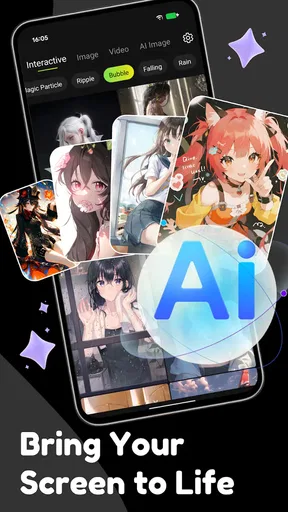
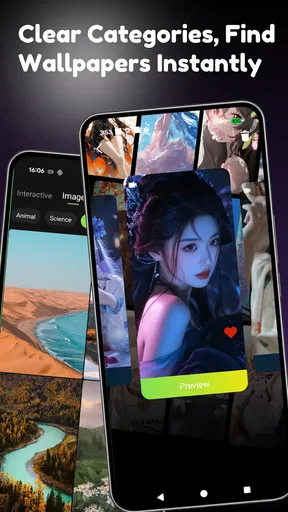
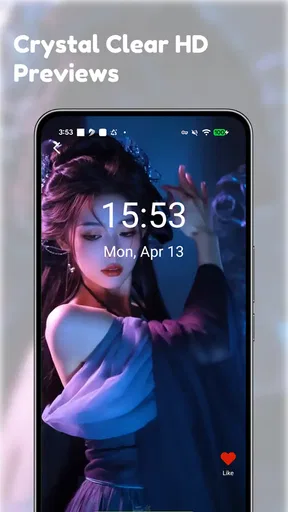
Upon launching the app, I was immediately struck by the sheer variety of wallpapers available. From serene landscapes to dynamic abstract designs, the options seem endless. The user interface is simple and intuitive, making it easy to browse through categories and find something that catches your eye. What really stands out is the quality of the images; true to its name, the HD Live Wallpaper Launcher delivers high-definition visuals that look crisp and vibrant on any screen.
That said, a large selection can make choosing slower rather than easier. I would begin with a visual mood—quiet nature, bold color, or abstract motion—instead of scrolling without a purpose. Then I’d judge a wallpaper at the size and brightness I normally use. A design that looks balanced in a preview may feel too intense once it sits behind the icons I tap all day.
Customization Galore
One of the coolest features is the customization options. Not only can you choose from a plethora of pre-made wallpapers, but you can also tweak them to your liking. Want to adjust the speed of the animations? No problem. Prefer a different color scheme? Done. This level of personalization allows you to create a home screen experience that’s truly unique to you.
The best way to use those choices, in my view, is to make small adjustments with a clear goal. If movement competes with reading, easing the animation is more useful than changing several visual elements at once. If a color treatment makes icons hard to distinguish, prioritize contrast over novelty. Those are practical trade-offs: the most customized result is not automatically the easiest one to live with.
The app also includes a nifty feature that lets you set different wallpapers for your lock screen and home screen, which I found to be a fantastic way to keep things fresh without getting overwhelmed. Plus, with the ability to schedule wallpaper changes, your screen can evolve throughout the day, keeping things dynamic and engaging.
Separate screen choices can also serve a purpose beyond variety. I’d keep the lock screen visually simple if I check notifications at a glance, then use a more detailed image on the home screen where I can spend time with it. Scheduled changes are best approached cautiously: I would pick a small number of looks that remain readable, rather than changing the screen so often that it feels unfamiliar each time I unlock the phone.
Performance and Battery Life
Now, I know what you're thinking. Live wallpapers can be a drain on battery life, right? Well, the developers seem to have tackled this issue head-on. During my testing, I noticed minimal impact on my battery, which was a pleasant surprise. The app is optimized to ensure that the animations don’t consume excessive resources, so you can enjoy your flashy wallpaper without having to constantly hunt for a charger.
I would still treat battery use as something to evaluate on my own phone, rather than a fixed promise. Screen brightness, how often the display is on, and the particular design all shape the experience. If I were trying to keep a phone going through a long day away from a charger, I’d choose a less demanding-looking option or switch back to a still background and compare. That gives the visual upgrade a fair test without making battery life an assumption.
Interactive Elements
What sets this app apart from the crowd is its interactive elements. Some wallpapers respond to touch, adding an element of playfulness to your phone. Imagine ripples appearing when you tap on a water-themed wallpaper or particles scattering across the screen with a swipe. It’s these small details that elevate the user experience, making your phone feel more responsive and alive.
Interaction is most enjoyable when it remains a small bonus rather than the reason I choose a design. I’d try a responsive wallpaper on a personal phone where occasional visual play feels welcome, but avoid judging it only by tapping repeatedly in the preview. The real test is whether the effect still feels pleasant during normal use, when I am opening apps rather than deliberately interacting with the background.
Additionally, the app includes seasonal and themed wallpapers for holidays and special occasions, which is a fun way to get into the spirit of any celebration. Whether it’s a spooky Halloween theme or a festive Christmas scene, there’s something for every occasion.
For seasonal changes, I’d use a simple rotation habit: choose a theme for the occasion, check that it does not obscure the usual home-screen layout, and switch back when it no longer fits. That keeps a temporary look fun without turning personalization into a maintenance task. People who prefer one consistent design all year may not get much value from this part of the selection.
Ease of Use
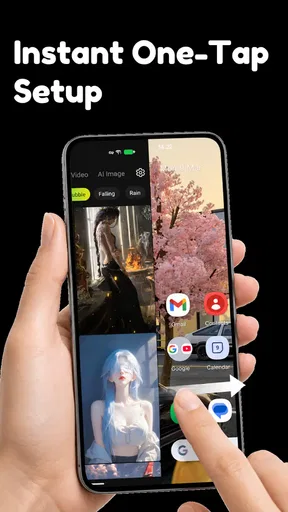
The app is designed with user-friendliness in mind. Even if you’re not particularly tech-savvy, you’ll have no trouble navigating through the options and setting up your favorite live wallpaper. The installation process is straightforward, and the app provides helpful tips along the way, ensuring a smooth experience from start to finish.
For anyone wondering whether this is a launcher replacement, I would approach it primarily as a personalization app centered on live backgrounds, not as a reason to rebuild the phone’s whole layout. The developer is BenAPPmar, and the app has a 3.8 average from around 60 ratings, with over 50,000 installs. It is rated Teen. Those figures suggest a modest but established audience, though they cannot tell me whether a particular wallpaper will suit my screen or preferences.
For those concerned about data usage, the app allows for both online and offline use. You can download your favorite wallpapers for offline access, which is perfect for those times when you’re on the go without an internet connection.
A practical workflow is to browse while connected, save a few favorites for later, and then try them when offline before relying on them during a commute or trip. That separates discovery from everyday use and helps avoid depending on a connection just to restore a look I already chose. I would also keep a familiar still image in mind as a fallback if I decide animation is not working for me on a particular day.
Final Thoughts
All in all, the HD Live Wallpaper Launcher is an impressive app that offers a rich variety of high-quality wallpapers and customization options. It enhances the aesthetic appeal of your device while maintaining a user-friendly interface. Whether you’re looking to impress friends with stunning visuals or simply want to enjoy a more personalized phone experience, this app is definitely worth checking out. So go ahead and give it a try—your home screen will thank you!
My recommendation is to start with one wallpaper, test it against the icons and widgets you rely on, and keep it only if the screen remains comfortable to use. That small, deliberate trial is more useful than changing everything at once. If you enjoy expressive backgrounds and occasional motion, this is a worthwhile free option to explore; if you value a distraction-free screen above all, a static image is likely the more satisfying choice.
Pros
- High-quality wallpapers in 4K resolution.
- User-friendly interface with easy navigation.
- Regular updates with new wallpaper collections.
- Customizable settings for personal preferences.
- Low impact on device performance.
Cons
- Contains ads that may interrupt usage.
- Limited free content; subscription needed.
- Occasional bugs in wallpaper application.
- Requires internet for full functionality.
- Some wallpapers drain battery faster.
FAQs for HD Live Wallpaper Launcher
What features does the HD Live Wallpaper Launcher offer?
The HD Live Wallpaper Launcher provides a wide range of high-definition wallpapers, including dynamic live wallpapers that respond to touch and motion. It offers customization options for icons and widgets, allowing users to personalize their home screen. You can also schedule automatic wallpaper changes and download new themes regularly.
Is the HD Live Wallpaper Launcher compatible with all devices?
The app is designed to be compatible with most Android and iOS devices. However, performance may vary based on your device's specifications. Older devices might experience reduced performance with live wallpapers due to limited processing power. It’s recommended to check the app requirements before downloading.
Does the app consume a lot of battery and resources?
Live wallpapers can be more resource-intensive than static ones, potentially affecting battery life. However, the HD Live Wallpaper Launcher is optimized to minimize battery consumption. It also offers settings to adjust performance, allowing users to balance visual effects with battery usage. Monitoring your usage can help manage any impact.
Are there any in-app purchases or ads in the HD Live Wallpaper Launcher?
Yes, the app contains in-app purchases to unlock premium wallpapers and features. There are also ads, but users can opt for a paid version to remove them. The free version offers a substantial amount of content, but some exclusive themes and customization options require a purchase.
How often is new content added to the HD Live Wallpaper Launcher?
The app receives regular updates with new wallpapers and themes to keep your home screen fresh and exciting. The frequency of updates may vary, but users can typically expect new content every few weeks. Enabling notifications ensures you won't miss any new releases or updates.


